
Why people look for an alternative
- The price. Premium is $139 a year, or $29 a month, on Speechify’s website. What Speechify costs →
- The limits. The free plan has 10 basic voices, speeds up to 1.5× and 5 files on iPhone. Premium counts up to 1,000,000 Premium voice words a month.
- The account. Speechify wants you signed in.
Free: what your iPhone already does
Speak Screen reads anything on the screen. Turn it on in Settings › Accessibility › Spoken Content, then swipe down from the top with two fingers. It’s free and works offline, with the system voices. It doesn’t remember where you stopped, reads page numbers in PDFs, and stops at the end of what’s on screen.
For a page or two, that’s all you need. How to read a PDF aloud on iPhone →
Luni: for the reading you never get to
Luni reads your PDFs, web articles, EPUB ebooks and pasted text out loud. You share something to it from Safari, Files or Mail, and it lines up in Up Next.
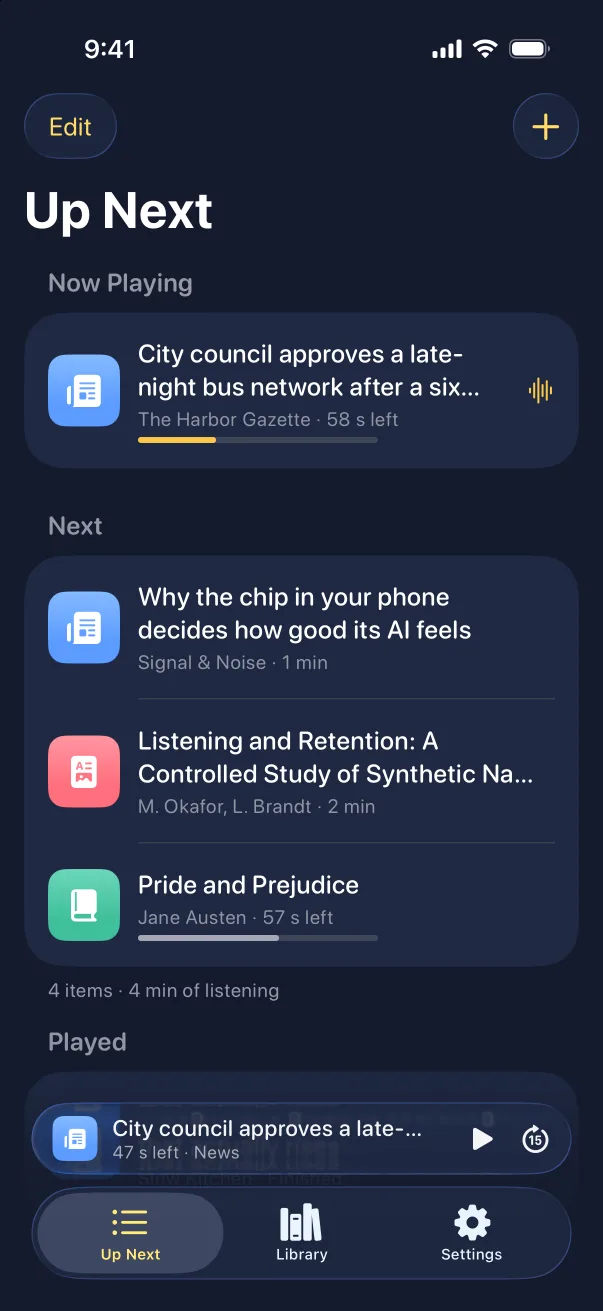
- No listening limit. The voices run on the iPhone, so Luni Pro doesn’t count words or hours.
- No account. Open Luni and press play.
- Works on a plane. Once something is saved, it plays with no signal.
- Your texts stay on your phone. Luni doesn’t upload your files, text or links.
- Eight voices, each with styles for news, stories and study. Hear them all before you pay.
Side by side
| Speechify Premium | Speak Screen | Luni Pro | |
|---|---|---|---|
| Price | $139 a year or $29 a month | Free | Published at launch, 7-day free trial |
| Listening limit | Up to 1,000,000 Premium voice words a month | None | None |
| Account | Needed | Not needed | Not needed |
| Remembers your place | Yes | No | Yes |
| Devices | iPhone, Android, web and more | iPhone and iPad | iPhone (iPad and Mac coming) |
When Speechify is still the better pick
If you need Android or a browser extension, want to scan paper pages, or use its AI tools, stay with Speechify. Luni does less, on purpose: it reads your saved PDFs, articles and books out loud, with no limit.